
Your best friend for file transfer.
 Fetch
Fetch
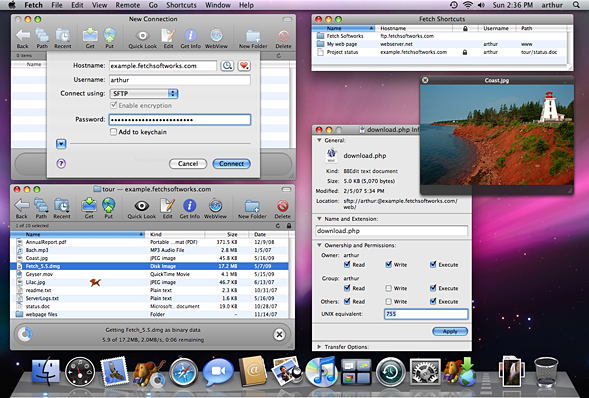
Fetch is a full-featured file transfer client for the Apple Macintosh whose user interface emphasizes simplicity and ease of use. Fetch supports the most popular file transfer protocols on the Internet for compatibility with thousands of Internet service providers, web hosting companies, publishers, pre-press companies, and more.
Fetch features include:
- Support for FTP, SFTP, and FTP with TLS/SSL (FTPS)
- A file list modeled on the familiar Mac OS X Finder
- Droplet shortcuts for easy uploading and tracking the progress of your upload
- Editing any kind of file directly on a server
- Previewing files on the server with Quick Look
- Synchronizing folders using the Mirror command
- WebView — a convenient way to view files in a web browser and copy web addresses
- Automatic resuming of stalled or failed uploads and downloads
- Unicode file names
- Extensive online help