
Your best friend for file transfer.
 Fetch
Fetch
Web Publishing with Fetch
Fetch 5.8 includes the features you need to maintain your web site.
Uploading Web Pages

Uploading a file to your web server is as simple as clicking the button, or dragging the file’s icon from the Finder. Fetch will automatically pick the correct format, quickly upload entire folders, and detect stalls and network or server errors and automatically resume uploads for you. Fetch includes extensive help, including tutorial topics to walk you through uploading your website for the first time.
WebView
WebView lets you set up a correspondence between files in Fetch and the address of the webpage they are part of, so that you can easily view changes to your website in a web browser by selecting files and clicking Fetch’s button. You can also copy links to those files for sending to clients and colleagues with the Copy Web Address command. To learn more and to see WebView in action, view the WebView screencast.
Mirror Folders
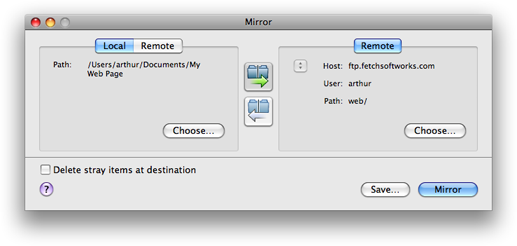
The Mirror command lets you quickly upload all the changed files in a folder, efficiently keeping your website up to date. You can save the command as a mirror document to be placed in your Dock for one-click website updates. You can even mirror between two different servers, to move a website from a staging server into production.
File Management
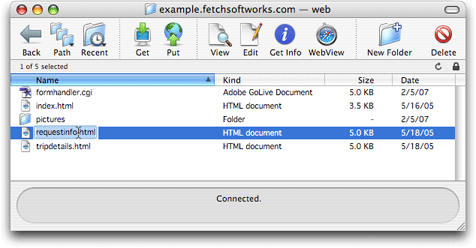
The Fetch file list works just like the Mac OS X Finder, so you can rename files by typing Return, move files by dragging them onto folders, and delete them by clicking the button. You can use Quick Look to view text, image, audio, movie, and many other kinds of files without leaving Fetch, and edit any kind of file in any application and save the changes back to the server automatically.
Account Management
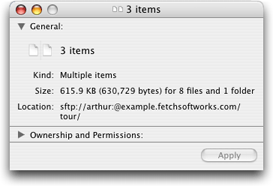
Fetch helps you stay on top of your web account. The Get Info command lets you total the size of all the files in your account, so that you can manage your usage of disk space.
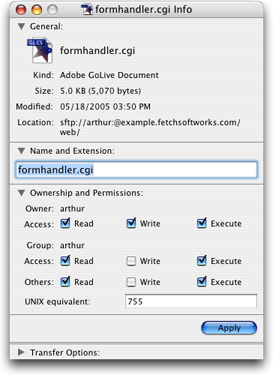
The Get Info command also lets you keep directories private, or make CGI scripts executable, with a user interface that translates cryptic Unix permission codes to plain English and back.